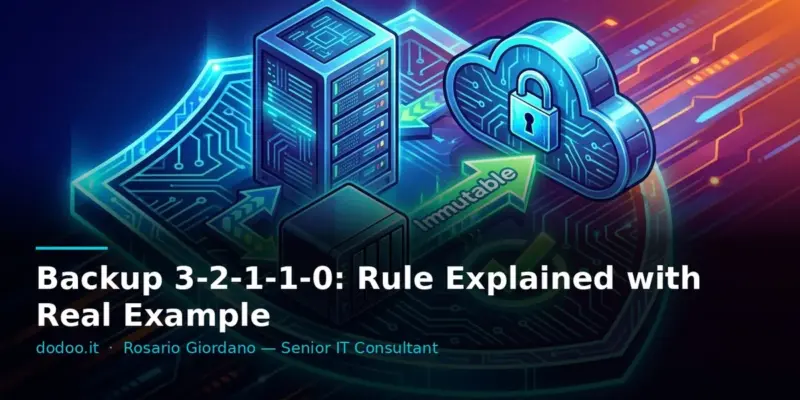
The survival of a company in the event of an IT disaster depends entirely on its backup strategy. For years, the golden rule has been 3-2-1: three copies of data, on two different media, with one copy offsite. A solid principle, but in the era of ransomware and persistent threats, it is no longer sufficient. Today, to ensure complete resilience, we must extend this rule to 3-2-1-1-0, introducing immutability and constant restoration verification. This extended approach has become a fundamental requirement for anyone managing critical IT infrastructures.
Reference versions: restic 0.16.2 · documentation consulted November 2026
The 3-2-1 Rule and Why It’s No Longer Enough
The 3-2-1 rule is a basic data protection concept that ensures good coverage against data loss. It includes:
- 3 copies of data: the original plus two backups.
- 2 different media: for example, a local disk and a NAS or tape.
- 1 offsite copy: a physical copy in a geographically separate location, or on cloud storage.
This approach is effective against hardware failures, accidental deletions, and local disasters. However, modern threats like ransomware have demonstrated its limitations. Ransomware can encrypt not only production data but also network-accessible backups, rendering all copies unusable. Similarly, an administrative error can propagate to all online copies before it’s detected. This is where 3-2-1-1-0 comes into play, adding two crucial layers of protection.
Backup 3-2-1-1-0 in 60 seconds
For those in a hurry, here are the key concepts of the 3-2-1-1-0 strategy applied with restic:
# 3 copies of data (original, local, offsite)
# 2 different media (local disk, NAS, S3 cloud)
# 1 offsite copy (S3 cloud)

# The third 1: Perform backup to an S3 repository with Object Lock enabled
restic -r s3:s3.amazonaws.com/your-immutable-bucket backup /path/to/your/data --password-file /path/to/password.txt

# The 0: Verify data integrity in the repository (quick check)
restic -r s3:s3.amazonaws.com/your-immutable-bucket check --read-data-subset=5% --password-file /path/to/password.txt

# The 0: Perform a restore to a test VM to validate recoverability
restic -r s3:s3.amazonaws.com/your-immutable-bucket restore latest --target /tmp/test-restore --password-file /path/to/password.txt

# The 0: Remove test data after verification
rm -rf /tmp/test-restore
Intro: Data Resilience in the Ransomware Era
In the current IT landscape, data resilience is no longer just a matter of availability, but of survival. One in three companies suffers a ransomware attack each year, and the average cost of a data breach reached 4.45 million dollars in 2023, according to the IBM Cost of a Data Breach report. Faced with these statistics, relying on a traditional backup strategy can be insufficient. A well-configured and regularly tested backup is your last line of defense, but only if it is immune to the most sophisticated threats. The goal of this article is to provide a practical and concrete guide to implementing the 3-2-1-1-0 backup rule, ensuring your data is protected and, most importantly, recoverable when all other systems fail.
Prerequisites
To follow the practical example, you will need:
- A Linux server (e.g., Ubuntu Server 22.04 LTS or CentOS Stream 9).
- Root access or a user with
sudoprivileges. - A NAS (Network Attached Storage) or a server with available space via NFS/SMB.
- An S3-compatible cloud storage account (e.g., AWS S3, MinIO, Wasabi, Scaleway) with Object Lock enabled for the destination bucket. Read also: ACN Cloud Catalog: QC1-QC4 Levels Explained
- The
restictool installed on the Linux server. You can download it from the official website or install it via your operating system’s package manager. For example, on Debian/Ubuntu:
sudo apt update && sudo apt install restic- Basic knowledge of Linux commands and storage management.
1. The 3-2-1 Rule and Why It’s No Longer Enough
As mentioned, the 3-2-1 rule provides for three copies of data, on two different media, with one copy offsite. This is an excellent foundation for most data loss scenarios. However, the problem arises when backups themselves become targets or are compromised in non-traditional ways. Imagine ransomware propagating across the network and encrypting not only production disks but also the NAS where backups reside and, if accessible, even the offsite repository. In this scenario, all three copies could be simultaneously compromised. Or, a configuration error can delete or corrupt an entire backup set before you notice. The lack of an immutability mechanism and proactive verification makes 3-2-1 vulnerable to threats beyond simple hardware failure.
2. The Third 1: An Offline or Immutable Copy
The “third 1” of the 3-2-1-1-0 rule refers to a copy of the data that is either offline or immutable. This is your last line of defense against sophisticated ransomware attacks or accidental mass deletions.
- Offline Copy: A backup on physical media (tape, external USB drive) that is disconnected from the network after backup completion. This makes it physically inaccessible to any malware or network attack. It is the most secure method but requires manual management and potentially longer recovery times.
- Immutable Copy: A backup on storage that prevents any modification or deletion for a predefined period (Retention Period). This functionality is often offered by cloud storage services (e.g., AWS S3 Object Lock, Azure Blob Storage Immutability) or some enterprise-grade NAS devices. Even if the system is compromised, ransomware cannot alter or delete immutable backups until the retention period expires. Read also: Network Microsegmentation: VLANs & Firewalls in Production
For the example, we will use an S3 bucket with Object Lock enabled, which offers an excellent balance between security and automation. Configure your S3 bucket with Object Lock in “Compliance” or “Governance” mode to ensure immutability.
3. The 0: Zero Errors in Restore Tests
This is perhaps the most critical and most overlooked step: regularly and successfully testing the restoration of your backups. A backup that doesn’t restore is useless. The “0” in the 3-2-1-1-0 rule means your restore tests must have zero errors. This is not a one-time event but an ongoing process that should be automated as much as possible.
Tests should include:
- Data integrity verification: Checking that backup files are not corrupted.
- Partial restore: Restoring individual files or directories to verify granularity.
- Full restore: Restoring the entire backup to a test environment (a dedicated VM, a sandbox) to simulate a disaster and measure the Recovery Time Objective (RTO).
This process allows you to identify problems in backup procedures, storage configuration, or data corruption before a real emergency occurs. Read also: PostgreSQL pg_restore: Restore Dumps & Fix Errors
4. Real Example: Linux Server, NAS, and Cloud
Let’s see how to apply the 3-2-1-1-0 rule in a typical environment:
Scenario: A Linux server with critical data in /srv/data.
3-2-1-1-0 Strategy:
- Copy 1 (original): Data in
/srv/dataon the Linux server. - Copy 2 (local): Backup to a local NAS (different media from the server’s disk).
- Copy 3 (offsite/immutable): Backup to S3 cloud storage with Object Lock enabled (different media, offsite, immutable).
Step 1: Backup to Local NAS (Copy 2)
Mount an NFS or SMB share from your NAS on the Linux server. For example, mount /mnt/nas_backup.
sudo mkdir -p /mnt/nas_backup
sudo mount -t nfs nas_ip:/export/backup /mnt/nas_backup
Set up a daily backup using rsync or restic (if the NAS supports a restic repository). We’ll use rsync for simplicity for the local backup.
#!/bin/bash
SOURCE_DIR="/srv/data"
TARGET_DIR="/mnt/nas_backup/linux_server_data"
LOG_FILE="/var/log/backup_nas.log"

echo "$(date): Starting backup to NAS" >> "$LOG_FILE"
rsync -avzh --delete --exclude '*/tmp/*' "$SOURCE_DIR/" "$TARGET_DIR/" >> "$LOG_FILE" 2>&1
if [ $? -eq 0 ]; then
    echo "$(date): Backup to NAS completed successfully" >> "$LOG_FILE"
else
    echo "$(date): ERROR during backup to NAS" >> "$LOG_FILE"
fi
Step 2: Backup to Immutable S3 Cloud (Copy 3, Offsite, Immutable)
We will use restic for this step. restic is ideal for cloud backups due to its deduplication, encryption, and support for various backends, including S3. Make sure you have configured AWS credentials (or your S3 provider’s) via environment variables (e.g., AWS_ACCESS_KEY_ID, AWS_SECRET_ACCESS_KEY) or a configuration file.
Initialize the restic repository on the S3 bucket. Replace your-immutable-bucket with your bucket name.
export RESTIC_PASSWORD_FILE=/etc/restic/backup_password.txt # Ensure this file is protected
export AWS_ACCESS_KEY_ID="YOUR_ACCESS_KEY"
export AWS_SECRET_ACCESS_KEY="YOUR_SECRET_KEY"

# Initialize the repository (first time only)
restic init -r s3:s3.amazonaws.com/your-immutable-bucket
Perform the data backup:
restic -r s3:s3.amazonaws.com/your-immutable-bucket backup /srv/dataThis command will create an encrypted and deduplicated backup on your S3 bucket. Thanks to Object Lock, these snapshots will be immutable for the configured retention period, protecting you from accidental deletions or ransomware attacks.
5. How to Verify That the Backup Actually Restores
The verification phase is crucial for the “0” of the 3-2-1-1-0 rule. It’s not enough for the backup to complete without errors; you must be sure that the data is recoverable.
Quick Data Integrity Check
restic offers a check command that verifies repository integrity. You can specify a percentage of data to read for a quicker check.
restic -r s3:s3.amazonaws.com/your-immutable-bucket check --read-data-subset=5%A typical output:
using temporary cache in /tmp/restic-check-cache-123456
repository a2b3c4d5 opened successfully, password is correct
checking snapshots
checking logs
checking keys
checking data
[0:00] 100.00%  500 / 500 packs
check finished
Full Restore to Test Environment
This is the ultimate test. Set up a separate test VM, preferably with the same Linux distribution as the original server. Then, restore the latest backup snapshot to this VM.
# On the test VM, install restic and configure S3 credentials
# Perform the restore
restic -r s3:s3.amazonaws.com/your-immutable-bucket restore latest --target /tmp/test-restore
After the restore, manually verify the integrity of the restored data. Check that files are present, sizes are correct, and if possible, verify the hash of some critical files against the originals. Automate this process with scripts that compare directories or perform functional tests on the restored data.
Common Errors and Troubleshooting
| Error or exact message | Cause | Solution |
|---|---|---|
Error: repository does not exist |
The restic repository has not been initialized or the path is incorrect. |
Run restic init or verify the repository path (-r). |
Permission denied during backup |
The user running restic does not have read permissions on the data or write permissions on the target. |
Ensure the user has the correct permissions (sudo, chown, chmod). |
| Slow backup or fails on S3 | Connectivity issues, incorrect S3 credentials, Object Lock not configured. | Check network connection, AWS environment variables, and verify Object Lock configuration on the S3 bucket. |
Error: data corruption during restic check |
Data corruption in the backup repository. | This is a serious error. You may need to restore from an earlier snapshot or recreate the repository if corruption is extensive. Check the reliability of the destination storage. |
| Restore fails or data incomplete | Corrupted snapshot, target permission issues, insufficient space. | Verify the snapshot with restic check, check permissions on the target directory (--target), and disk space. |
Error: S3 bucket does not support object lock |
The S3 bucket does not have Object Lock enabled or is enabled in an incompatible mode. | Create a new S3 bucket and enable Object Lock during creation (it cannot be enabled afterwards). |
Frequently Asked Questions
What is the difference between an offsite copy and an immutable copy?
An offsite copy is simply a copy of data located in a geographically different location from the primary one. It can be in another datacenter or on a cloud service. An immutable copy, on the other hand, is a copy that cannot be modified, deleted, or overwritten for a predefined period, regardless of its location. An immutable copy can also be offsite, thus combining the benefits of both approaches.
How often should I test my backups?
The frequency depends on your Recovery Point Objective (RPO) and Recovery Time Objective (RTO). For very critical data, tests should be at least weekly or monthly. For less critical environments, quarterly might be sufficient. The important thing is that tests are regular and automated as much as possible, to reduce manual effort and ensure consistency.
Is the 3-2-1-1-0 backup also valid for virtual machines?
Absolutely. The rule is agnostic to the type of data or system. For VMs, backups can be at the host level (e.g., with Proxmox Backup Server) or at the guest level. The important thing is to apply the principles of multiple copies, different media, offsite, immutability, and restore testing to all your critical VMs.
Can I use a simple USB drive as an immutable copy?
A USB drive can be considered an offline copy if it is physically disconnected after backup. This makes it immune to network ransomware. However, it is not immutable in the technical sense (data can be deleted if the drive is reconnected). It is an economical solution but requires manual management and does not offer the same protection against human errors or unauthorized access as Object Lock on the cloud.
Does 3-2-1-1-0 protect me from every type of data loss?
No, no backup strategy can guarantee complete protection. The 3-2-1-1-0 is a robust framework that mitigates most risks, including ransomware, hardware failures, natural disasters, and human errors. However, it does not protect against software bugs that corrupt data before backup, or data loss between backups (unless a Continuous Data Protection system is implemented). It is the current best practice but should be integrated with other security measures.
Conclusions with Operational Takeaways
The evolution from the 3-2-1 rule to 3-2-1-1-0 is a mandatory step for any system administrator or security manager who wants to ensure data resilience in an evolving threat environment. The addition of an immutable or offline copy and the imperative of “zero errors” in restore tests transform a good backup strategy into an excellent one. Integrating tools like restic with cloud services that offer Object Lock allows for automating much of this process, reducing the risk of manual errors and ensuring your last line of defense is always ready. Don’t wait until it’s too late: review and update your backup strategy today.
Sources
Updated: November 2026