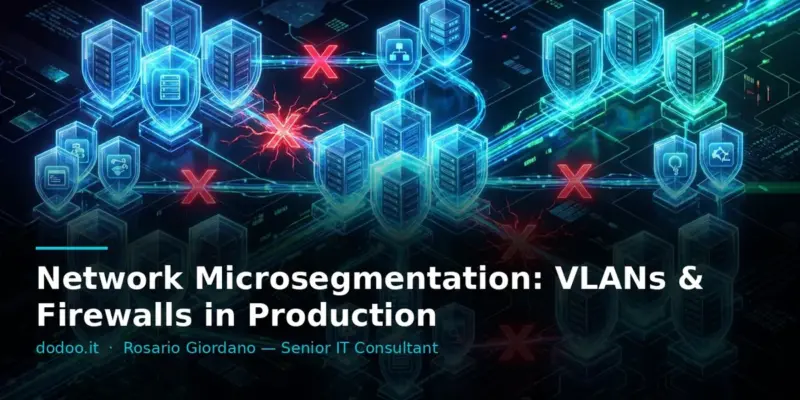
Cybersecurity is no longer just about perimeter protection. The idea that an external firewall is sufficient to protect an entire infrastructure is obsolete. Today, the most insidious threat spreads laterally, moving undetected within the corporate network after bypassing the first line of defense. A single breach can quickly escalate into a disaster if internal systems are not adequately isolated. This is where network microsegmentation comes into play, a Zero Trust strategy that aims to create granular security boundaries around each individual workload, application, or server. I have seen firsthand how, in enterprise environments with hundreds of VMs, the absence of microsegmentation allowed initially contained attacks to spread to critical databases and systems, causing prolonged outages and significant losses. This article will guide you through the principles and practical implementation of microsegmentation, from conceptual basics to application with VLANs and firewalls, providing the tools to proactively protect your infrastructure.
Tested on: Ubuntu 24.04 LTS · VMware ESXi 8.0 · FortiGate 7.4 · October 2026
Prerequisites / Test Environment
To follow this guide, a basic understanding of networking (VLANs, routing, firewalls) and familiarity with Linux system administration is helpful. The practical implementation of nftables will be demonstrated on an Ubuntu Server 24.04 LTS system, but the concepts are applicable to any Linux distribution with a recent kernel. For the distributed firewalls and hypervisor section, we will refer to VMware ESXi and its integrated security features, but the principles are also transferable to other platforms such as Proxmox or Hyper-V. Ensure you have administrator privileges for your servers and network devices (switches, firewalls).
Segmentation vs. Microsegmentation: The Difference
Many system administrators confuse traditional segmentation with microsegmentation, but the difference is fundamental. Traditional segmentation relies on dividing the network into logical macro-areas, often using VLANs. For example, one VLAN for web servers, one for databases, one for users, and one for management. This approach creates broad security perimeters, where everything within a VLAN is implicitly considered “trusted” and can communicate freely with other components in the same VLAN. Read also: UFW Firewall Ubuntu: Complete Configuration from A to Z (2026)
Microsegmentation, however, takes the concept of isolation to a much finer level of granularity. The goal is to create an individual security perimeter around each single workload, application, or even each individual VM. In a microsegmented environment, traffic between two VMs within the same VLAN is no longer implicitly allowed but must be explicitly authorized. This approach is the cornerstone of the Zero Trust model, where no user or device is inherently trusted, regardless of its physical or logical location on the network.
Starting Point: Traffic Flow Inventory
The first step, and often the most overlooked, is a thorough analysis of traffic flows within your infrastructure. You cannot effectively protect what you do not know. This process requires mapping every single communication between:
- Applications and databases: Which applications need to access which databases and on which ports?
- Web servers and application servers: Which front-end services communicate with which back-ends?
- Users and services: Which user groups need to access which servers or network resources?
- Management systems: Which monitoring, backup, or patching servers need to communicate with your endpoints?
This inventory can be complex, especially in legacy environments. Network traffic analysis (NTA) tools or SIEMs can help collect data on existing flows. The goal is to create a matrix that precisely defines which sources need to communicate with which destinations and over which protocols/ports. Without this phase, any attempt at microsegmentation will be based on assumptions and risk blocking critical services.
First Layer: VLANs by Function
Before moving to more granular microsegmentation, it is essential to have a solid basic segmentation with VLANs. This is the first layer of defense. Create distinct VLANs for different business functions and server types. Here are some common examples:
- VLAN 10: Web Servers (e.g., Nginx, Apache)
- VLAN 20: Application Servers (e.g., Node.js, Java EE)
- VLAN 30: Databases (e.g., PostgreSQL, Oracle, MySQL)
- VLAN 40: Management (SSH, RDP, SNMP, monitoring)
- VLAN 50: Users (client workstations)
- VLAN 60: VoIP
Each VLAN should have its own IP subnet and, ideally, be managed by a Layer 3 router or firewall that controls its traffic. This initial separation prevents an attack on a web server from directly compromising a database without passing through a control point. Read also: systemd Service Creation: Auto-Restart & Dependencies
Inter-Segment Rules: Deny by Default
Once VLANs are defined, the next step is to implement strict firewall rules between them. The core principle must be “deny by default” (implicit deny). This means all traffic between VLANs is blocked unless explicitly allowed by a rule. This approach is the opposite of the traditional “allow everything except what you want to block” and is significantly more secure.
For example, if a web server in VLAN 10 needs to communicate with a database in VLAN 30 on port 5432 (PostgreSQL), you will create a specific rule on the inter-VLAN firewall that allows only that flow:
Allow Source: VLAN 10 (Web Server) -> Destination: VLAN 30 (Database) -> Port: 5432 (TCP)
All other communication between these two VLANs will be blocked. This drastically limits the attack surface and prevents a compromised application from attempting to connect to unauthorized services on other servers.
Microsegmentation on Servers with nftables
For even finer microsegmentation, you can apply firewall rules directly on individual servers. On Linux, nftables is the modern and powerful tool for this purpose, succeeding iptables. It allows you to control traffic at the host level, adding an extra layer of protection even if the traffic has already passed a perimeter or inter-VLAN firewall.
Here is a basic procedure to configure nftables for microsegmentation on a server:
- Create a table and an input chain with a default
droppolicy:
nft add table inet filtro
nft add chain inet filtro input '{ type filter hook input priority 0; policy drop; }'
This configuration creates a table named filtro for IPv4 and IPv6 traffic, and an input chain that intercepts all incoming traffic. The drop policy means that anything not explicitly allowed will be blocked.
- Allow established and related session traffic:
nft add rule inet filtro input ct state established,related acceptThis rule is crucial. It allows the server to respond to traffic it originated or that is related to an existing session (e.g., a response to a web request). Without this rule, the server would not be able to communicate correctly.
- Add specific rules for necessary services:
Suppose this server is a PostgreSQL database and should only accept connections from the application server subnet (e.g., 10.10.20.0/24) on port 5432.
nft add rule inet filtro input ip saddr 10.10.20.0/24 tcp dport 5432 acceptThis rule only allows PostgreSQL connections from the specified subnet. All other incoming traffic will be blocked by the default drop policy.
- View active rules:
nft list rulesetThis command shows all nftables rules loaded into the kernel. It is essential to verify that the configuration is correct.
With nftables, you can implement very granular rules, for example, allowing SSH access only from specific IP addresses in the management VLAN, or limiting access to certain ports only to specific processes.
Hypervisors and Distributed Firewalls
In virtualized environments (VMware vSphere, Proxmox, Hyper-V), the hypervisor itself can become a control point for microsegmentation. Solutions like VMware NSX Data Center offer distributed firewalls that operate at the vSwitch level, applying rules directly to the virtual network interface cards (vNICs) of VMs. This means that firewalling rules follow the VM wherever it moves within the virtualized environment (e.g., via vMotion), ensuring consistent security policy. Read also: Proxmox Migration: VMware to Proxmox VE Guide
These distributed firewalls are particularly effective because:
- Intra-host isolation: They can block traffic between two VMs on the same ESXi host, which is impossible for a physical firewall.
- Context-aware: They can apply rules based not only on IP/Port but also on VM tags, application names, user identity, etc.
- Automation: Policies can be integrated with VM orchestration, applying automatically when a new VM is created or moved.
If you do not have advanced distributed firewalling solutions, you can still leverage hypervisor networking features to create security groups or isolated vSwitches, then apply rules on network firewalls or directly on VMs with nftables.
Verify Your Rules Actually Work
Implementing microsegmentation is only half the battle; the other half is verifying that it works as intended and has not introduced bugs or outages. It is crucial to test every rule in a staging environment before applying it in production.
Use tools like nmap to verify port reachability from different sources:
nmap -Pn -p 1-1024 10.10.30.5This command will perform a port scan from 1 to 1024 on IP 10.10.30.5, without a preliminary ping. Run it from a server that should not have access to those ports, and then from a server that should have access. The results must accurately reflect your policies.
Monitor firewall logs (both network and host-based) to detect blocked connection attempts. An excessive number of unexpected blocks indicates a misconfiguration that could disrupt services. SIEM or log management tools are indispensable for aggregating and analyzing these logs effectively.
Common Errors That Block Production
Implementing microsegmentation is complex and fraught with pitfalls. Here are the most common errors I have encountered that can block production:
- Lack of traffic flow inventory: Attempting to implement rules without knowing the actual flows almost always leads to unexpected blocking of critical applications. This is the number one mistake.
- Overly permissive policies: If you do not start with a
deny alland only add exceptions, you risk leaving ports open by mistake, nullifying the purpose of microsegmentation. - Forgetting management traffic: Accidentally blocking SSH, RDP, DNS, or NTP access to servers can render the infrastructure inaccessible. Ensure management traffic is always allowed from specific, secure subnets.
- Not considering return traffic (
established,related): As seen withnftables, forgetting to allow return traffic prevents servers from responding to legitimate requests. - Insufficient testing: Not thoroughly testing rules in a staging environment or failing to perform tests from different sources can lead to production outages.
- Ignoring hidden dependencies: Legacy applications or poorly documented services may have unexpected dependencies on ports or protocols. A thorough analysis is the only solution.
FAQ — Frequently Asked Questions
Is microsegmentation suitable for SMBs?
Yes, microsegmentation is not just for large enterprises. SMBs can also reap enormous benefits, especially in reducing the risk of lateral spread of attacks. Implementation can start more simply, for example, by isolating the most critical servers (databases, domain controllers) with host-based firewalls or dedicated VLANs.
What is the difference between microsegmentation and Zero Trust?
Microsegmentation is one of the fundamental techniques for implementing the Zero Trust principle at the network level. Zero Trust is a broader security philosophy that states “never trust, always verify” for all users, devices, and applications. Microsegmentation applies this principle to network traffic, ensuring that every communication is authenticated and authorized, even within the internal network.
What tools can I use to map traffic flows?
To map flows, you can start with basic tools like netstat or ss on Linux to see active connections. For more complex environments, Network Performance Monitoring (NPM) or Network Detection and Response (NDR) solutions that analyze real-time traffic are useful. Firewall and router logs can also provide valuable data on flows.
Does microsegmentation slow down the network?
If implemented correctly, microsegmentation should not significantly slow down the network. Modern firewalls, both hardware and software (like nftables), are optimized to process traffic at high speeds. The overhead is minimal, and the security benefits far outweigh any potential performance impact.
Can I use microsegmentation with containers (Docker, Kubernetes)?
Absolutely yes. Microsegmentation is even more critical in container environments, where workloads are dynamic and transient. Tools like Calico or Cilium for Kubernetes extend microsegmentation concepts, allowing you to define granular network policies between pods, based on labels and namespaces, effectively implementing Zero Trust Network Policy for containers.
Conclusions with Operational Takeaways
Network microsegmentation is not an option but an essential component of a modern security strategy. In an evolving threat landscape, relying solely on perimeter protection is a recipe for disaster. Implementing microsegmentation requires planning, a thorough analysis of traffic flows, and a rigorous application of the “deny by default” principle.
Operational takeaways:
- Start with inventory: Do not touch firewalls before mapping every single critical traffic flow.
- Segment with VLANs: Create clear logical boundaries for your assets; it’s the crucial first step.
- Apply Zero Trust everywhere: On both network firewalls and individual hosts, all traffic not explicitly allowed must be blocked.
- Leverage
nftables: Do not underestimate the power of the local firewall on Linux for granular host-level control. - Verify and monitor: Test every rule and constantly monitor logs to prevent and detect errors or bypass attempts.
By adopting microsegmentation, you will not only strengthen your security posture but also reduce incident response time, limiting potential damage. It’s an investment that pays off in peace of mind and operational resilience.
Sources
Updated: October 2026